 Live Chat
 Connect to a Tech

This paid piece is courtesy of Pigeon605
Your employees might be using artificial intelligence to draft emails, summarize meetings, analyze documents or complete projects more efficiently.
But do you know what tools they’re using? And more importantly, do you know what company information they’re sharing?
Those are increasingly critical questions for businesses as AI adoption accelerates, creating opportunities for productivity along with significant cybersecurity risks.
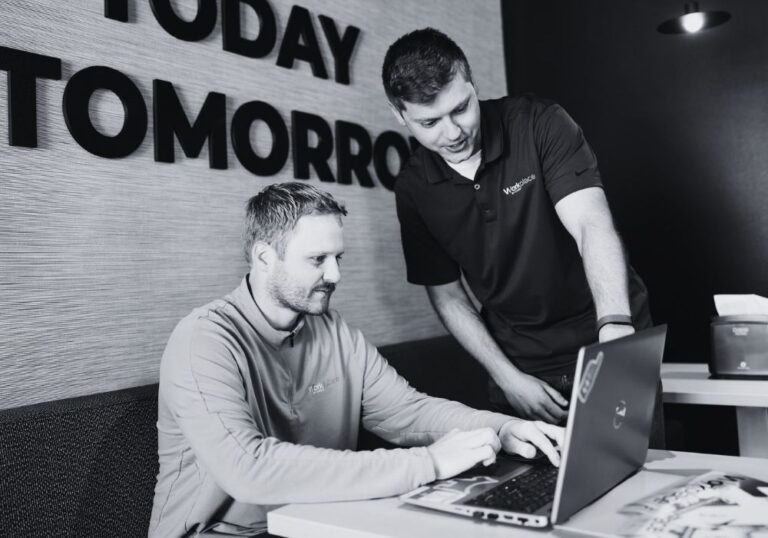
“It’s exploding,” said Don DeVore, cybersecurity manager at Workplace by Direct. “A year ago, it was barely on the radar. There was a little bit going on with AI, and now everyone is using it, and it’s a huge exposure of company data to all kinds of threats and data leakage.”
DeVore recently joined Workplace after a 30-year career in technology that included managing security operations for a managed service provider.
He and Joe Henderson, Workplace’s IT director, are helping businesses navigate a rapidly changing environment where the capabilities of AI are advancing almost as quickly as the risks.
“I think a year and a half or two years ago, companies didn’t even really know how to use it,” Henderson said. “Today, compared to two years ago, people know what they want to get out of AI. Even though they may not know the commands or the language, they know the results they’re looking to get out of it.”

And AI tools are increasingly capable of delivering those results.
“AI’s ability to execute is dramatically improved,” DeVore said. “There’s so much more capability and ability to execute in the tools. It’s really amazing.”
But that capability can come at a cost when businesses haven’t established guidelines for using AI securely.
Know what your employees are using
One of the most significant risks comes from employees using AI tools without their employers’ knowledge or approval.
An employee might upload financial information to analyze performance, share confidential business plans to develop a presentation or use an AI meeting transcription service without considering what happens to the data.
“We had an incident come up recently where a company was using an AI-based meeting transcriber, and we looked at the terms of service,” DeVore said. “They were using it for internal meetings, and whatever information comes up gets transcribed to the tool.”
The terms raised concerns about the vendor’s rights to the information.
“It’s really important to think about all the ways AI can come into play and look at the vendors and who you’re using and trusting with your information,” DeVore said.
The risks also extend beyond stand-alone AI platforms. Software businesses already use might have AI capabilities built into it.
“Some software a team uses may have a built-in AI engine that they’re using to analyze data,” DeVore said. “One example is Adobe Acrobat, which has AI built into it, and everybody uses that. So is it looking at and reading the documents you open up in Acrobat? What’s going on?”
Direct has taken steps internally to address these issues, establishing an AI steering committee made up of company leaders.

The committee oversees implementation, determines which platforms are approved and connects the company’s AI policy with existing confidentiality and data classification requirements.
“We’ve reined in what tools are being used internally and what AI solutions are approved,” Henderson said. “We were having individuals sign up for personal accounts, or teams had their own accounts, so it’s helped us get control of our AI use so we understand what’s being inputted and how employees are using it.”
The process started with asking employees which AI tools they were using already and how they were using them for work.
That information helped Direct identify where it needed additional safeguards.
“Sometimes, you might have to tell employees they can’t use something,” Henderson said.

Establish rules before something goes wrong
For businesses beginning to address AI cybersecurity, DeVore and Henderson recommend starting with a written policy that clearly identifies approved tools and the types of information employees can share.
That includes distinguishing between public information, internal company information and restricted data such as confidential customer records or sensitive financial information.
“Employees should be informed. They should have an AI policy to review, and it links to their data classification policy,” DeVore said. “Employees need to understand it and know how to prompt and use the tools correctly.”
Understanding the differences among free, personal and business AI accounts also is important because data protections and vendor terms can vary considerably.
Businesses also can implement technology that helps detect and prevent sensitive information from being shared improperly.
“There are data classification engines that look for Social Security numbers and personally identifiable information that’s in email and can flag those and quarantine them so that information isn’t leaked out of the business,” DeVore said. “Those tools are available, and we can help put them in place.”
Employee training is just as essential, Henderson added.
Businesses should explain not only which platforms are approved but also why those restrictions exist and how employees can use AI effectively without creating unnecessary risks.
AI also is changing the threats
The need for stronger protection goes beyond the information employees might share with AI.
Cybercriminals are using the technology to create more convincing scams and launch increasingly sophisticated attacks.
Henderson pointed to an incident involving a customer affiliate who received what appeared to be a request from a company CEO to transfer money.
The request was actually an AI-generated impersonation, and money was sent.
That makes independent verification procedures increasingly important, especially for financial transactions or requests involving confidential information.
“I think verification procedures need to be in place anytime there’s a financial transaction, so it’s not a question,” DeVore said. “If someone says transfer money, there is a procedure in place that everyone knows.”
Henderson said business leaders need to make it clear that employees have permission to question requests, even when they appear to come from the owner or CEO.
“As a CEO or leader, you need to let employees know it’s OK to question,” he said. “They may not want to question the owner requesting a money or information transfer.”
The traditional warning signs of fraudulent communications also are becoming less reliable.
“Years ago, you could identify emails through language, and those emails are now being written by AI, and there aren’t too many punctuation errors. It’s hard to notice,” Henderson said.
Businesses still need fundamental cybersecurity protections, including email filtering, endpoint detection and response technology, and properly configured firewalls.
But those protections must evolve along with the threats.
“Hackers are using AI to attack companies in all the traditional ways that hackers have always used, but instead of it being someone in their parents’ basement, it’s an automated AI agent doing the attack,” DeVore said.
“Our tools need to have AI built in in order for them to respond at the speeds they’re being attacked.”

Helping businesses use AI safely
Rather than discouraging AI adoption, Workplace is expanding its services to help customers use the technology effectively and securely.
The company has established an AI help desk and a program that begins with a discovery conversation about how a business currently is using AI and what it hopes to accomplish.
“We start with a discovery call with our customers that looks at what you want from AI, who in the business is using it and what you’re using,” Henderson said.
“Sometimes, the answer is they don’t know, and that’s OK.”
From there, Workplace can help businesses establish governance policies, train employees, evaluate approved tools and identify opportunities for AI-supported automation.
That might involve using a platform such as Claude to develop an AI agent or finding repetitive tasks that can be completed more efficiently with AI assistance.
DeVore encourages businesses to begin with manageable projects rather than attempting to automate entire departments immediately.
“I think a lot of companies might think, ‘I can automate my entire business and do all my financials and HR work,’ but sometimes we have to step back some of that excitement and say you want to start small,” he said.
“Think of a small repetitive task you do and think about doing that first and see how it works, and then move into bigger and bigger projects.”
Human oversight remains essential regardless of how sophisticated the technology becomes, Henderson added.
“An AI tool can’t take accountability for mistakes,” he said. “It comes back to that person to make sure things are done correctly. In the end, we as people are still accountable for any output.”

Prepare for what comes next
Even businesses with strong security measures need a plan for responding when something goes wrong.
That includes knowing how to identify a security incident, contain damage, restore systems and continue operating.
“The cybersecurity threats aren’t diminishing by any means,” Henderson said. “We can put all the guardrails up, but bad things can still happen.”
Workplace works with businesses to strengthen those protections while helping them take advantage of AI’s growing capabilities.
For companies that haven’t yet established an AI policy, Henderson recommends making it a priority. Workplace can help develop one, potentially within a couple of weeks after an initial discovery call, depending on the business and its industry.
“It all starts with policy and governance,” he said. “Every company should have one, and we can help provide that.”
And with the pace of change continuing to accelerate, businesses should be prepared for the possibility that even strong defenses eventually will be tested.
“The most important thing is to have an incident response plan for when that day does hit,” Henderson said. “Can you detect, contain, respond and restore? Can you do those quickly and efficiently? The answer has to be yes.”